Ship Schema Migrations to a Running PocketBase Instance
Ship Schema Migrations to a Running PocketBase Instance
PocketBase keeps your schema in code. pb_migrations/ is a directory of
JavaScript files, each one a versioned change to your collections, applied in
order at startup. It’s one of the best things about the project: your database
shape lives in git next to the code that depends on it.
Which made the gap in PocketBase Cloud embarrassing. The archive you uploaded when creating an instance was read exactly once. Add a migration the next week and it had nowhere to go — your options were to apply the change by hand in the admin panel and let the two drift apart, or recreate the instance and lose the data.
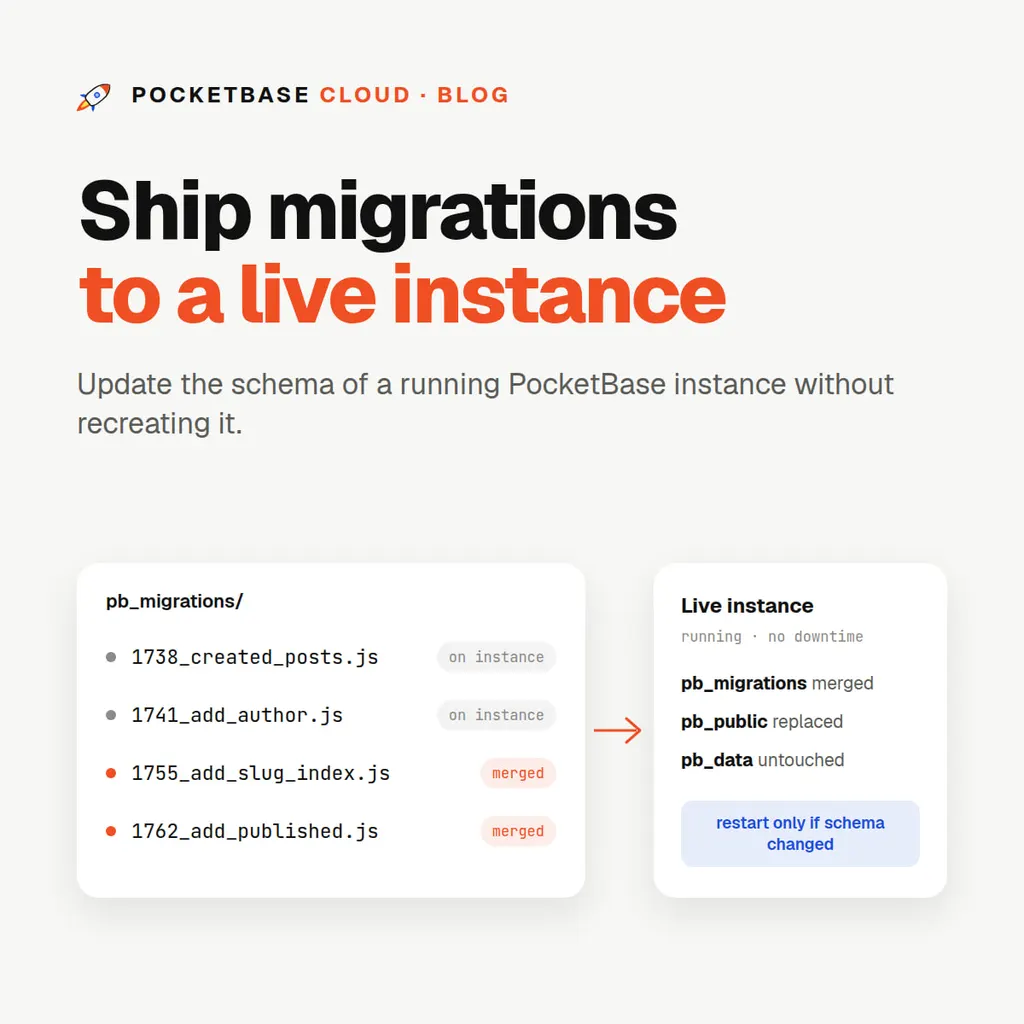
That’s fixed. Uploading to an instance that already exists now installs both
pb_migrations and pb_public.
The workflow
From the CLI, there is no new command — the existing one just works on the hundredth deploy the way it did on the first:
cd db
pb cloud pb deploy    # redeploys the linked instance
The first deploy records the instance in pb.json, so afterwards you don’t
name it. Write a migration locally, commit it, run deploy, and the running
instance has it.
From the portal: open the instance, go to Deployment, and upload a ZIP of your project directory.
The rules, and why they’re the rules
Four behaviours, each chosen to be the one that can’t lose your work:
pb_migrations/ is merged. Files already on the instance are kept, and
yours are added alongside them. This is not the obvious choice — replacing
would be simpler — but PocketBase’s own admin UI generates migration files
when you change a collection through the web interface. Replacing the
directory would silently delete those, and the next restart would try to apply
your local history to a database that had already moved past it. Merging keeps
both timelines intact.
pb_public/ is replaced. The opposite rule, for the opposite reason. This
directory is a build output — whatever your bundler last emitted. If it were
merged, a file you deleted from your project would keep being served forever,
which is how a stale index.html outlives three deploys and a deleted asset
turns into a security surprise. Replacing means what you shipped is what’s
served.
The instance restarts only when migrations actually changed. Migrations
apply at startup, so a schema change needs a restart. Static files don’t. A
deploy that only touches pb_public doesn’t interrupt a single request.
pb_data/ and the PocketBase binary are never writable from an upload.
Your database and the server itself are not addressable from a deploy, by any
path. The blast radius of a bad archive stops at your own application files.
Hooks travel separately
pb_hooks/ doesn’t ride in the archive. It goes up through the hooks route
instead, so that the portal’s hook editor stays in sync with what you pushed
and you’re never looking at a stale copy of a file you just deployed.
Two constraints are worth knowing before you hit them:
- Hooks are flat files. A filename can’t contain a path separator, so a
subdirectory inside
pb_hooks/can’t be uploaded. - The CLI ships at most 30 hook files per push. That’s a guard rail rather
than a platform limit — a
pb_hooksdirectory bigger than that is almost always the wrong directory, and a clear message beats a confusing failure.
Both .js and .json files travel, not just *.pb.js — a hook’s helper
modules and its data files are no use to it if they stay on your laptop.
What this unlocks
The reason this matters isn’t convenience, it’s that your deploy is now idempotent and your schema is now reviewable.
A migration is a file in a pull request. Someone can read it, comment on it,
and approve it before it touches production — which is not true of a change
someone made by clicking around an admin panel at 11pm. And because
pb cloud pb deploy behaves identically every time, the same command works
from your terminal and from CI with no special-casing for “first deploy.”
A minimal GitHub Actions step is just:
- name: Deploy
  working-directory: db
  env:
    PB_TOKEN: ${{ secrets.PB_TOKEN }}
  run: pb cloud pb deploy --no-input
A note on order
Migrations apply in filename order, and PocketBase’s generated names are timestamp-prefixed, so “order” means “when it was written.” If you and a teammate both generate a migration on the same afternoon and merge them in the other order, the timestamps still decide. Keep migrations small and independent and this never bites; write one that assumes the state left by another and it eventually will.
For the full deploy reference — what goes up, the build block in pb.json,
and every flag — see
Deploying PocketBase. For running it
in CI, see
Deploying from GitHub Actions.